Skip to content

Recorded course · Marketing · Hindi

The Art of Content Creation

Make content with intent. Improve it with evidence.

Move from audience and idea to script, camera, lighting, sound and editing—then use performance signals to understand what to improve.

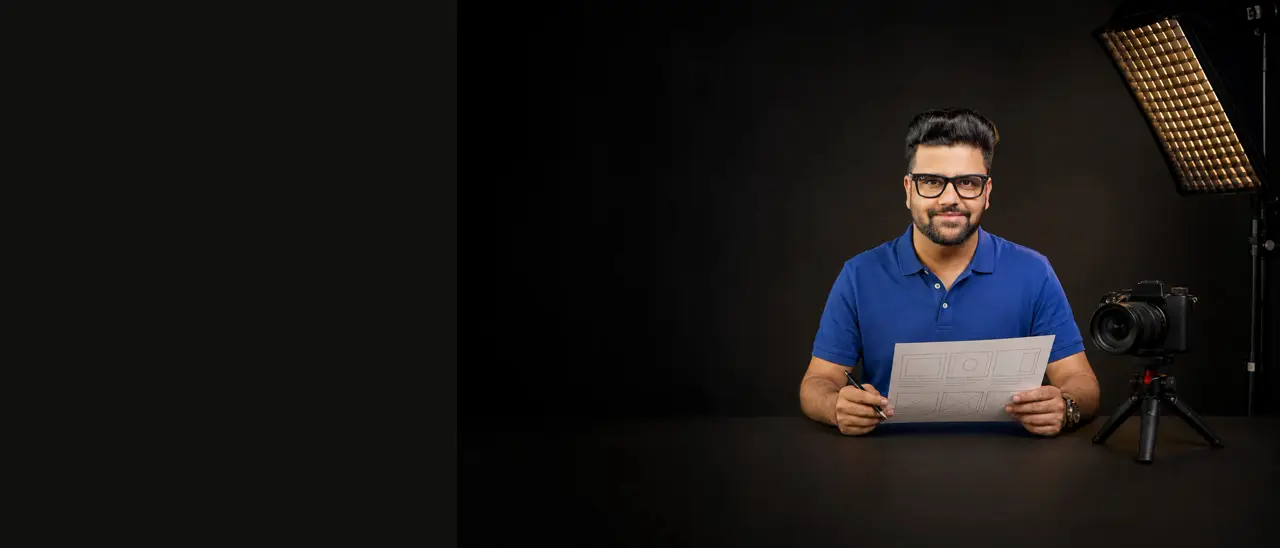
Sahil Khanna in the artwork for The Art of Content Creation
Lessons
80 lessons
in the curriculum
Duration
19h 5m
of recorded lessons
Language
Hindi
taught by Sahil Khanna
Price
₹1,999
incl. GST
01Story02Shoot03Edit04Review

Overview

Better content starts
before the camera.

More equipment is rarely the first answer. Connect the audience and the story to the way you shoot, edit and publish, using lessons from Sahil’s own channels and the mistakes behind them.

Build a process you can repeat, then let the results guide the next piece.

A kebab shop in Gurgaon is where the shutter rule stops being theory.
Read the full breakdownShow less

Sahil had a talk nearby and went to eat at Tunday Kababi and decided to shoot while he was there. He was filming 4K at 30 frames a second, so by the rule the course teaches — shutter denominator equals frames per second times two — his shutter was at 1/60. He wanted background blur. The light was so strong he could barely be seen. He closed the aperture down to f/22, which killed the blur he had opened up for, and he was still blown out.

So he broke the rule. Pushed the shutter from 50 up to 640. He was visible. And the whole feel of the video was gone.

He went home, worked out what he had actually needed, and ordered an ND filter. "This thing is heaven." Later, in Kochi, he shot in full sunlight with the background blur he wanted and broke no rules at all.

That is how this course teaches. Rule, then the day the rule cost him something, then the fix.

It starts long before the camera, though.

One idea, five platforms — and five different videos. How to make money online becomes "build a business from freelancing" on LinkedIn, shot in a shirt and tie. On Facebook it becomes "how a housewife can earn selling kurtis", and he tells you to become their son. On Snapchat it is pocket money, clean shave, shorter hair, visible wealth. On Moj it is which crop pays more this season — dhoti, sickle, shot outdoors near a field, because it will feel more premium to that audience. Same person, same idea. The platform changes how you think and how you speak.

And he will tell you about the videos that did not work.

He assumed tarot had a big audience. He made the whole thing properly — major and minor arcana, the three-card spread, pulling his own cards live and reading them five or six times. It did not run. His own team had said they would watch it and did not. His conclusion after actually researching it: people do not want to learn about tarot. They want the problem it solves. Start with the spell; put the tarot in afterwards.

Then production, from first principles. Sensors, shutter, aperture, ISO, bit rate, bit depth, chroma subsampling, frame rates and what breaking each rule actually costs. Full frame against Micro Four Thirds on price, crop, blur and whether the camera overheats. Three-point lighting at forty-five degrees, and what to do when you have one light, or a window, or nothing but the outdoors. Condenser against dynamic, omni against cardioid, and why you keep an internal backup recording running every single time.

He has the failures for this part too. The podcast where his own mic died mid-shoot — he thinks it overheated — and he dubbed five to seven minutes lip-syncing word by word. The guest whose chain kept tapping the lapel mic, producing a sound no software can repair, so the fix was to take the audio from a different source entirely.

Then editing, in Premiere Pro, CapCut and DaVinci Resolve, down to the eleven separate assets he pulled together for one sixty-second reel about Rakesh Jhunjhunwala — a scene from 3 Idiots, a Wolf of Wall Street clip, a clouds timelapse, a grass photo, college students, background music — and the bins he sorted them into before starting.

And then the numbers. How to read average view duration, click-through rate and impressions together, with a decision attached to each combination: retention good and views bad means fix the packaging; retention bad means unlist it; click-through good and impressions bad means the topic has no demand at all. How to export ninety days of analytics and find every title sitting below the trend line. How to price a brand deal by cost per view instead of by hoping.

One thing he insists you hear. He does describe the month his team posted five reels a day and grew by two to two and a half lakh subscribers. He then lists, unprompted, every unfair advantage that made it possible: a main channel already at 1.3 million, a studio, a camera setup, and a team. His own words: "I cannot teach you to gain 1 lakh subscribers in one month. I can teach you how I did it, and I can give you the metrics." We are not going to phrase it any more generously than he did.

Taught in Hindi.
What you’ll be able to do

Skills you can use
the week you learn them.

  1. 01

    Take one idea and re-script, re-dress and re-voice it for five different platforms without changing who you are — and choose at most three platforms with a reason for each.

  2. 02

    Judge an idea by its audience size before you make it, and re-package a small-audience idea sideways onto a problem people already have — the way he salvaged tarot after it failed.

  3. 03

    Operate a camera from scratch for a talking-head video — derive the shutter from the frame rate, choose an aperture for the blur you want, raise ISO only as far as the noise allows, and recognise the situation where the answer is an ND filter rather than breaking the rule.

  4. 04

    Light a face with whatever you actually own — three-point at forty-five degrees, or one light, or a window, or the outdoors — and diffuse a hard source with cloth or chart paper.

  5. 05

    Cut a video end to end in Premiere Pro, CapCut or DaVinci Resolve, and adapt one grade three ways for a cinematic piece, a podcast and a reel.

  6. 06

    Diagnose any published video from three numbers and act on it — retention, click-through and impressions — and know which one tells you to fix the thumbnail, which tells you to unlist the video, and which tells you the topic was never going to work.

Inside the course

From an idea worth sharing.
To a process worth repeating.

  1. Step 1Story
  2. Step 2Shoot
  3. Step 3Edit
  4. Step 4Review

Module 1 — Introduction

10 lessons

Niche selection on four filters, the audience persona sheet filled three ways, platform choice, and brand naming — including the channel he called Papa News after his newborn daughter, and the mentor who told him he would never raise funding on that name.

Module 2 — Content Creation Framework

7 lessons

Where ideas come from, how to size one before you make it, two research methods (manual and AI, with the hallucination cross-check), and an on-camera delivery checklist down to eye contact ratios and the trick for setting your volume from five rows back.

Module 3 — Storytelling

9 lessons

Six recipes matched to six goals — sell, convince, connect, explain, impress, lead — and how to put numbers in a story without losing people: cap the facts at three, bind each number to a narrative, and name the flaws in your own research.

This module is the same nine recordings as Module 6 of the Branding Masterclass. If you own both, you have watched it.

Module 4 — Video Production

36 lessons

The largest module in the course and the reason to buy it. Sensors, exposure, frame rates, bit depth, cameras, lenses, lighting, microphones, green screen. Taught from first principles, with the failures attached.

Module 5 — Video Editing

13 lessons

Premiere Pro, CapCut and DaVinci Resolve, from bins and trimming through Lumetri grading in a fixed order, keyframed zooms, and a two-camera podcast cut in seconds with AutoPod.

Module 6 — Advanced

5 lessons

The algorithm, YouTube SEO, analytics as a decision tool, brand-deal pricing, and the creator monetisation ladder — free content, a small entry product, a bundle, then one-to-one.

Curriculum

Every lesson,
before you buy.

The complete lesson list, straight from the course. Lessons marked “App only” play in the Edrilla app for Android and iOS.

6 modules · 80 lessons · 19h 4m of video
The Art of Content Creation - Introduction10 lessons · 2h 45m

Build a clear, consistent brand from the ground up. In this module you’ll define your niche, understand your audience, choose a memorable brand name, and lock your brand voice—then practice the core design principles that make everything look “premium.” You’ll also complete four guided worksheets to turn ideas into a concrete plan you can execute right away.

  1. Video: Pre-Course Evaluation
  2. Video: Identify your Niche7 min
  3. Reading: Find Your Niche Worksheet
  4. Video: Foundation1h 14m
  5. Video: Understand Your Audience17 min
  6. Reading: Create Audience Persona
  7. Video: Value Proposition Worksheet12 min
  8. Video: Brand voice3 min
  9. Reading: Value Proposition Worksheet
  10. Video: Students Activity52 min
Content Creation Framework7 lessons · 2h 32m

Build a repeatable, end-to-end system for turning raw ideas into high-retention content. In this module you’ll learn how to communicate with clarity, generate audience-driven ideas, choose the right content format, research fast (without fluff), and turn insights into scripts that boost CTR and watch time. You’ll also get two plug-and-play worksheets to keep your pipeline full: the YouTube Video Ideas Worksheet and the YouTube Scripts Worksheet.

  1. Video: Communication54 min
  2. Video: Ideation15 min
  3. Video: YouTube Video Ideas Worksheet
  4. Video: Content Format22 min
  5. Video: Research33 min
  6. Reading: YouTube Scripts Worksheets
  7. Video: Audience Questions29 min
Storytelling9 lessons · 2h 40m

This module equips you with storytelling frameworks that turn ideas into content people remember, share, and act on. Through nine video lessons and a Brand Story Creation PDF, you’ll learn to master different types of stories for business and branding. The videos cover storytelling fundamentals and practical frameworks: Stories That Sell (short sales hooks), Stories That Motivate (drive action), Stories That Convince (overcome objections), Stories That Connect (authentic conversations), Stories That Explain (education & product demos), Stories That Impress (cinematic recall), and Stories That Lead(guide decisions). You’ll also explore advanced concepts like secrets, puzzles, and emotional dashboards. The Brand Story Creation PDF makes it actionable—helping you build a structured narrative around your brand’s character, conflict, and resolution. By the end, you’ll have a plug-and-play brand story ready for ads, pitches, and campaigns.

  1. Video: Storytelling Overview22 min
  2. Video: Stories that Sell16 min
  3. Video: Stories that Motivate25 min
  4. Video: Stories that Convince15 min
  5. Video: Stories that Connect14 min
  6. Video: Stories that Explain13 min
  7. Video: Stories that Impress12 min
  8. Video: Stories that Lead14 min
  9. Video: Other Important Concept for Storytelling28 min
Video Production36 lessons · 3h 5m

Turn your camera into a storytelling machine. In this hands-on module you’ll master the building blocks of photo and video creation—from how a camera captures light to lenses, exposure, frame rates, stabilization, sound, lighting, editing, and color. Each short lesson focuses on one practical concept (e.g., shutter speed, aperture, sensor size, bit rate, color temperature, mic types, camera angles, movements, chroma key, and more) so you can learn fast and apply instantly on YouTube, Reels/Shorts, client shoots, or brand videos.

  1. Video: How Camera Takes Images?3 min
  2. Video: Types of Sensor3 min
  3. Video: Camera Comparison4 min
  4. Video: Types of Lenses6 min
  5. Video: Shutter Speed8 min
  6. Video: Aperture4 min
  7. Video: Exposure Triangle3 min
  8. Video: Color Temperature-White balancing2 min
  9. Video: Picture Styles3 min
  10. Video: Aspect Ratio4 min
  11. Video: Understanding Mega Pixel and Sensor Size4 min
  12. Video: Computational Videography and Photography5 min
  13. Video: How Video Works?2 min
  14. Video: PAL vs NTSC3 min
  15. Video: What is 4k and 1080?4 min
  16. Video: Bit Rate6 min
  17. Video: Full frame and third fourth frame4 min
  18. Video: Stabilization5 min
  19. Video: Optical zoom and digital zoom3 min
  20. Video: Types of Lights12 min
  21. Video: Light Filters5 min
  22. Video: Importance of Sound1 min
  23. Video: Types of Mic - Pattern3 min
  24. Video: Wired Lap1 min
  25. Video: Mic Examples1 min
  26. Video: Shotgun Mic1 min
  27. Video: Wireless Mic3 min
  28. Video: Color Grading5 min
  29. Video: Chroma Sub Sampling6 min
  30. Video: Camera Movements8 min
  31. Video: Camera Angles3 min
  32. Video: Adding Value in Editing5 min
  33. Video: Storytelling5 min
  34. Video: Premiere Pro43 min
  35. Video: Chroma Key (Green Screen)4 min
  36. Video: Biggest Blunder While Recording3 min
Video Editing13 lessons · 4h 37m

Create professional, platform-ready videos—from raw footage to polished reels, podcasts, and graphics. This module walks you through a complete, tool-agnostic post-production workflow using Adobe Premiere Pro, After Effects, Photoshop, CapCut, DaVinci Resolve, and audio best practices. You’ll learn fast organization, smart editing systems, cinematic color, motion graphics, sound design, and export settings that keep quality high and file sizes lean.

  1. Video: Organization3 min
  2. Video: Premiere Pro Interface2 min
  3. Video: Premiere Pro44 min
  4. Video: Photoshop21 min
  5. Video: After Effect Interface1 min
  6. Video: After Effect13 min
  7. Video: Capcut Interface10 min
  8. Video: Capcut Video Editing1h 29m
  9. Video: Podcast Editing19 min
  10. Video: Reel14 min
  11. Video: Cinematic Reel38 min
  12. Video: Davinci23 min
  13. Reading: Post course evaluation
Content Creation Advanced5 lessons · 3h 25m

Turn your channel into a predictable growth engine. In this module you’ll learn how the YouTube algorithm actually distributes videos, what signals (CTR, retention, watch time, session growth) you can influence, and how to bake those into your ideas, titles, thumbnails, and edits. We’ll layer in practical YouTube SEO—researching keywords inside YouTube, optimizing metadata the right way, and positioning each upload to win suggested and search traffic. Then we’ll map every revenue path beyond AdSense (affiliates, memberships, live support, courses, sponsorships) so you can monetize from day one. Finally, you’ll use YouTube Analytics to translate data into clear next steps and adopt a “beyond editing” mindset that elevates your entire production workflow.

  1. Video: YouTube Algorithm42 min
  2. Video: YouTube SEO18 min
  3. Video: YouTube Monetization19 min
  4. Video: How to Get Insight from YouTube Analytics?57 min
  5. Video: Beyond Editing1h 9m

Is it for you?

Know before
you enrol.

This course is for you if…

  • The creator who keeps posting and cannot work out why nothing runs. Module 6 is a diagnostic, not a pep talk.
  • The founder or marketer who has to make video and has never been taught how a camera works. Module 4 goes to first principles and stays there for 36 lessons.
  • The one-person operation who is writing, shooting, presenting and editing alone. That is the assumed reader throughout.
  • Anyone who already shoots and edits but has no idea what to charge a brand. The monetisation module prices by cost per view against per-niche bands and shows how to turn a lowball into a multi-video commitment.

Skip it if…

  • Anyone who wants composition and framing taught. It is promised inside the course and never delivered. There is no lesson on the rule of thirds, no shot-composition lesson, and no gear-by-budget list, though all three are referred to. Said here rather than discovered at lesson 40.
  • Anyone who needs a Final Cut Pro workflow. Premiere Pro, CapCut and DaVinci Resolve are covered. Final Cut is mentioned and never taught.
  • Anyone shopping for growth hacks. The honest reading of this course is that the production module is its best part, and production is slow.
  • Anyone who wants a course in English. It is taught in Hindi throughout.
  • Anyone who wants every lesson to be a video. Seven of the eighty rows are worksheets and attachments rather than teaching video. That is normal for a course this size — but if you are counting lessons rather than hours, count 73.

Practise as you go

Ideas to try
while you learn.

Small exercises that put each module to work on your own business or clients.

  • Audience-first scriptChoose one audience question and draft a short story that answers it.
  • Production checklistPlan the camera, lighting and sound decisions for a simple shoot with the equipment available.
  • Editing passReview a short clip and note where the sequence, pacing or clarity could improve.
  • Performance reflectionUse sample retention, click and impression data to frame one useful question about a video.
  • Platform adaptationExplain how the same idea should change for two different publishing formats.
  • Next-piece briefUse a reflection on one piece of content to plan a deliberate change in the next.
Sahil Khanna pointing at a planning board.
Sahil KhannaFounder of Edrilla · teaches every course

Your mentor

Learn from someone
who has done the work.

Sahil Khanna ran a digital agency for fourteen years before selling it. The pricing, the campaigns, the client conversations and the mistakes from that work are what Edrilla’s courses are built from.

He teaches every course on Edrilla himself, in Hindi and Hinglish, and each course page tells you plainly what the course covers and who should skip it.

15,000+students taught across platforms
14 yearsrunning an agency, since sold
Hindiand Hinglish, in every course

Pricing

The Art of Content Creation
One price, everything included.

Pay once for the access period shown and learn at your own pace.

Basic

365 days of access

₹1,999

≈ ₹164 a month

  • 80 lessons
  • 19h 5m of recorded lessons
  • Taught in Hindi
  • Web, Android and iOS — one account
  • Verifiable certificate on completion
Choose Basic
Secure checkout with Razorpay — UPI, cards, net bankingPrices include GSTOpens on web, Android and iOS

Questions

Before you
begin.

Anything else? Write to the team and we will help you choose.

Visit the help centre
Do I need expensive equipment before starting?

The course puts audience, scripting and production decisions before gear. Review the camera, lighting and sound lessons before deciding what your work actually needs.

Which language are the courses in?

Hindi and Hinglish, with English terms where the industry uses them. Every course page states its language.

How long do I get access?

Access is sold by plan, and every plan states its access period before you pay — for example 30 days, 90 days, a year, or lifetime where the plan says so. Your dates are shown in My learning once you enrol.

Can I learn on my phone?

Yes. Use the same account on the web and in the Edrilla app for Android and iOS, and your progress carries across. Courses are bought on the web or in the Android app, and then open everywhere, including iOS.

How do I pay?

Checkout runs on Razorpay, so you can pay with UPI, cards, net banking or wallets. Prices include GST.

Do I get a certificate?

Certificates for completed courses are issued to your account, and each one has a public verification link anyone can open to confirm it is genuine.

What if a course is not right for me?

Every course page lists who it is for and who should skip it, and shows the full lesson list before you buy. Refunds are handled under our terms of service.

Read the terms
I have a question that is not here.

Signed-in students can raise a support ticket from their account. You can also email lapaasindia@gmail.com and the team will reply.

Visit the help centre

The Art of Content Creation

Make content with intent. Improve it with evidence.
Start with the first lesson.

Move from audience and idea to script, camera, lighting, sound and editing—then use performance signals to understand what to improve.